


Employee Clicked Phishing Link? Do This Right Now
If an employee clicked phishing link content in a work email, the first ten minutes matter far more than the panic that comes with them. The instinct is to scold, to hide it, or to hope nothing happened. None of those reactions help. What helps is a calm, fast sequence of actions that limits what an attacker can reach and gives you a clear picture of the damage. Whether you run a small office in Tulsa or a growing company across Broken Arrow and the wider region, the steps below turn a stressful moment into a contained, recoverable event.
The most important thing to understand up front is that a click is not automatically a disaster. Many phishing links only do harm after a second action, such as entering a password or approving a download. Acting quickly often means the difference between a near miss and a breach.
The First Few Minutes After a Click
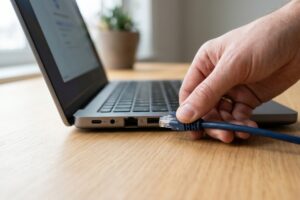
Speed beats perfection here. The moment a click is reported, assume the link may have tried to steal credentials or install something, and move to limit both. Disconnect the affected device from the internet and your network, either by unplugging the network cable or turning off the wifi, so that any malware cannot communicate out or spread to shared drives. Do not turn the machine off completely yet, because security professionals can sometimes gather useful information from a running system. Then tell the employee they did the right thing by speaking up. A workforce that reports mistakes immediately is one of your strongest defenses, and shame only teaches people to stay quiet next time.
Recognizing the attack for what it is also helps you respond correctly. These messages are a form of phishing, and they are engineered to create urgency so the target acts before thinking. Naming it calmly keeps everyone focused on the response rather than the blame.
Step by Step: What to Do When an Employee Clicked Phishing Link
Once the device is isolated, work through a clear checklist so nothing important gets missed in the rush:
- Change the password for any account the employee may have entered, starting with email, and do it from a different, clean device
- Turn on or confirm multi factor authentication for those accounts so a stolen password alone is useless
- Review recent account activity for unfamiliar logins, new forwarding rules, or messages sent without the user’s knowledge
- Scan the isolated device for malware with up to date security tools before reconnecting it
- Notify your IT provider or internal security lead so they can check whether other employees received the same message
Working in this order protects the most sensitive access first. Email is usually the top priority, because control of a mailbox lets an attacker reset other passwords and impersonate the employee to coworkers and customers. If login details or money were taken, you can also report the incident to the FBI’s Internet Crime Complaint Center so investigators can act quickly.
How to Tell What the Attacker Was After
Not every phishing attempt wants the same thing. Some links lead to a fake login page built to harvest a password. Others quietly attempt to install software that records keystrokes or encrypts files for ransom. Understanding the goal shapes your cleanup. If the page asked for a login and the employee typed one in, treat the credentials as compromised and reset them everywhere they were reused. If the link triggered a download or a strange prompt, treat the device as potentially infected and keep it offline until it is fully checked.
The Federal Trade Commission offers practical guidance on staff training and response that reinforces this point. Knowing what was targeted prevents both overreaction, such as wiping a machine that was never infected, and underreaction, such as ignoring a quietly stolen password that later opens the door to fraud.
Warning Signs the Click Already Did Damage
Sometimes the harm is obvious, and sometimes it hides for days. Stay alert for these signals in the hours and days after the incident:
- Coworkers or clients receiving strange emails that appear to come from the employee
- New inbox rules that forward or delete messages without anyone setting them up
- Login alerts or password reset notices from accounts no one tried to access
- Files that will not open, have changed names, or carry unfamiliar extensions
- Unexpected slowdowns, pop ups, or programs the employee does not recognize
If any of these appear, escalate immediately and widen your investigation. Several of them, particularly unauthorized forwarding rules and outbound spam, are classic indicators that an attacker has gained a foothold rather than simply collecting a single password.
Turning One Mistake Into Long-Term Protection
A single click can teach a company more about its weaknesses than a year of quiet operation. After the immediate response, capture what happened in writing so you can improve. How did the message get past your filters? Did multi factor authentication save you, or was it missing? How quickly was the click reported, and what slowed the response? These answers point directly to the fixes that matter. A solid recovery also depends on having reliable data backup in place, so that even a worst case infection does not cost you irreplaceable records.
Beyond your own walls, free and credible resources can help you build a stronger program. The small business cybersecurity guidance from NIST lays out practical, plain language steps for prevention, detection, and response that fit the budget and staffing of a typical local business.
Why Choose CamTech
When an employee clicks a phishing link, you want a partner who answers the phone and knows your systems, not a help desk that puts you on hold while the clock runs. CamTech has protected Tulsa and Broken Arrow businesses for over twenty years, with clients reaching to Oklahoma City, Dallas, Fayetteville, and Little Rock. Our team combines layered email filtering, account takeover monitoring, multi factor authentication, and realistic phishing simulations that train your staff before a real attack ever arrives. When something does slip through, we move fast to isolate, investigate, and restore.
If you want a clear incident response plan and a team that can act the moment a click happens, contact CamTech today and let us assess where your business stands.
Conclusion
Discovering that an employee clicked phishing link content is unsettling, but the outcome is decided by what you do next, not by the click itself. Disconnect the device, reset and protect the exposed accounts, watch for warning signs, and document the lesson so it strengthens your defenses. Handled calmly and quickly, most incidents end as a contained scare rather than a costly breach.
The smartest move is to prepare before it happens. Call CamTech to put proactive email protection, employee training, and a tested response plan in place for your business, so the next suspicious click meets a team that is ready.
Frequently Asked Questions
What is the first thing to do when someone clicks a phishing link?
Immediately disconnect the affected device from the internet and your network by unplugging the cable or turning off the wifi, which stops malware from spreading or sending data out. Leave the device powered on so useful evidence is preserved. Then reset the password for any account the person may have entered, using a separate clean device.
Does clicking a phishing link always mean I have a virus?
No. Many phishing links only cause harm after a second step, such as entering login details or approving a download, so a click alone may not infect anything. However, you should still treat the device as potentially compromised and scan it before trusting it again. Assuming the worst and verifying is safer than hoping nothing happened.
How do I know if my email account was actually hacked after a phishing click?
Look for signs such as messages in your sent folder you did not write, new forwarding or deletion rules you did not create, and login alerts from unfamiliar locations or devices. Coworkers or clients reporting strange emails from you is another strong indicator. If you see any of these, change your password and enable multi factor authentication right away.
Should I tell my employees to report clicks even if nothing seems wrong?
Yes, always. Fast reporting is one of the most valuable defenses a business has, because early action can stop a stolen password from being used. Punishing honest mistakes only teaches staff to stay silent, which lets small incidents grow into serious breaches. Encourage a culture where reporting is praised, not penalized.
Can multi factor authentication protect me if my password was stolen?
In most cases, yes. Multi factor authentication requires a second proof of identity, such as a code or app approval, so a stolen password alone is usually not enough to log in. It is one of the single most effective protections against account takeover. Attackers can still attempt to trick users into approving a prompt, so staff awareness remains important.

Sorry, the comment form is closed at this time.