


Office Network Down? Who to Call First (Tulsa Guide)
The question “office network down, who to call?” runs through every owner’s mind the moment the internet dies and a room full of people start staring at frozen screens. Phones stop ringing through, card readers fail, files will not open, and each quiet minute feels expensive because it is. For businesses in Tulsa, Broken Arrow, and the surrounding area, an outage is not just an annoyance. It is lost sales, stalled work, and frustrated customers. The good news is that a calm, ordered response gets you back online faster and tells you exactly who should be picking up the phone.
This guide walks you through the first ten minutes, the right order to call for help, how to tell whether the problem is yours or your provider’s, and the common culprits behind a sudden outage. Keep it somewhere your team can find it before the next disruption hits.
The First 10 Minutes When Your Network Goes Dark
Before you call anyone, spend two minutes gathering facts, because the answers shape who you should contact. Find out whether the outage affects everyone or just one person, since a single laptop with no connection is a very different problem from an entire office going dark. Check whether both wifi and wired connections are down, and whether the phones, which often run over the same internet line, are affected too. Look at your modem and router to see whether the status lights are normal, off, or blinking in an unusual pattern.
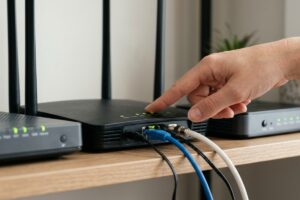
Then try the simplest fix that resolves a surprising number of outages. Unplug your modem and router, wait about thirty seconds, and plug them back in, giving each device a couple of minutes to fully restart. If power was recently interrupted in your building, equipment sometimes comes back in the wrong order and simply needs this reset. Document what you see at each step, because that information saves time once a professional gets involved and is the foundation of any good continuity plan.
Office Network Down, Who to Call First
Once you know the scope of the problem, call in the right order so you are not waiting on the wrong party. Use this sequence:
- Your managed IT provider, if you have one, since they can often diagnose and fix the issue remotely within minutes and know your specific setup
- Your internet service provider, to confirm whether there is a regional outage or a problem with the line coming into your building
- Your phone or VOIP vendor, if calls are affected but data is not, because the fault may sit with that service specifically
- A building manager or facilities contact, if you share infrastructure or suspect a power or wiring issue in the building itself
The reason a managed IT provider sits at the top of this list is simple. They already understand your network, they can rule out internal issues quickly, and they will tell you with confidence whether the next call should go to your internet provider or somewhere else. Without that partner, owners often burn an hour bouncing between support lines, each one blaming the other.
How to Tell If It Is Your Problem or the Provider’s
One of the most frustrating parts of an outage is figuring out who actually owns the fix. A few quick checks point you in the right direction. If your modem shows no internet signal at all and a neighboring business on the same provider is also down, the issue almost certainly belongs to the internet company, and your job is to report it and get an estimated restoration time. If your modem shows a healthy internet signal but devices inside your office still cannot connect, the problem is likely inside your network, in a router, switch, firewall, or cabling.
Mobile data offers a fast test. If you can browse normally on your phone using cellular service while the office wifi fails, the internet is reaching your area, which again points the problem inward. Federal resources from the FCC underline why this distinction matters for small businesses, since knowing where the fault lies determines who can actually resolve it and how long you should expect to wait.
Common Causes Behind a Sudden Outage
Outages feel random in the moment, but most trace back to a short list of causes. Understanding them helps you describe the problem accurately and prevent a repeat. Watch for these frequent culprits:
- A regional internet service provider outage, which is outside your control and usually resolves on the provider’s timeline
- Power fluctuations or surges that leave networking equipment in a failed or half started state
- Aging or overheating hardware, such as a router or switch that has quietly been failing for weeks
- A misconfiguration or failed update on the firewall or router
- A security incident, where malware or an attack disrupts normal network traffic
That last item deserves attention. Not every outage is innocent, and disruptions can be an early sign of a cybersecurity problem rather than a simple equipment failure. If an outage arrives alongside strange messages, locked files, or ransom demands, treat it as a potential breach and escalate immediately rather than just rebooting hardware.
Why a Single Point of Contact Changes Everything
The deepest lesson most owners take from a bad outage is that scrambling for a phone number mid crisis is the worst possible time to choose a partner. When you have one trusted provider who knows your systems, the entire experience changes. You make one call, they begin diagnosing immediately, and you get a straight answer about cause and timeline instead of a runaround. That single relationship also pays off long before any outage, through monitoring that often catches failing hardware and developing problems before they ever take you offline. A strong provider will also help you build a proper disaster recovery approach so that even a serious failure does not threaten your data or your ability to operate.
Planning ahead is not just for large companies. The Small Business Administration encourages every owner to prepare so they can recover quickly from disruptions, and an outage is one of the most common disruptions a business will ever face.
Why Choose CamTech
CamTech has kept Tulsa and Broken Arrow offices up and running for more than twenty years, with clients across Oklahoma City, Dallas, Fayetteville, and Little Rock. Our clients do not waste time wondering who to call when the network goes down, because the answer is already on speed dial. We monitor your systems around the clock, respond fast when something breaks, and offer remote support that resolves many issues before a technician ever needs to drive out. From networking and wifi coverage to backups, security, and day to day support, we act as the single, reliable point of contact that an outage demands.
If you are tired of guessing who to call when your screens freeze, contact CamTech today and let us become the team that picks up on the first ring.
Conclusion
When your office network is down and who to call is the only thought in your head, a clear plan is worth more than any quick fix. Gather the facts, try a simple reset, then call in the right order, starting with a provider who knows your network. Learn to tell an internal fault from a provider outage, stay alert to the causes that signal something more serious, and you will shrink both the stress and the downtime of any disruption.
The strongest position, though, is to never face that question unprepared. Call CamTech to set up proactive monitoring and responsive support for your business, so the next time the network goes dark, you already know exactly who is answering.
Frequently Asked Questions
What should I check first when my office internet goes down?
Start by determining whether the outage affects everyone or just one device, since that tells you how widespread the problem is. Check whether both wifi and wired connections are down and whether your phones are affected, then look at the status lights on your modem and router. A simple reboot of that equipment, waiting about thirty seconds before powering it back on, resolves many common outages.
How do I know if the outage is my provider’s fault or my own network?
If your modem shows no internet signal and nearby businesses on the same provider are also down, the fault usually belongs to the internet company. If the modem shows a healthy signal but your devices still cannot connect, the issue is likely inside your network. Browsing normally on cellular data while office wifi fails is a quick sign that the internet is reaching your area and the problem is internal.
Who should a small business call first during a network outage?
Call your managed IT provider first if you have one, because they know your setup and can often diagnose the issue remotely within minutes. If you do not have a provider, contact your internet service company to check for a regional outage. Calling in the right order prevents wasted time bouncing between support lines that blame each other.
How long does a typical business network outage last?
It varies widely depending on the cause. A simple equipment reset can restore service in minutes, while a regional provider outage or failed hardware may take hours to resolve. Having monitoring and a clear response plan in place is the most reliable way to keep outages short and predictable.
Can a network outage be a sign of a cyberattack?
Yes, it can. While most outages stem from provider issues or equipment failure, some disruptions are caused by malware or an active attack on your network. If an outage appears alongside locked files, ransom messages, or other unusual behavior, treat it as a possible security incident and escalate it rather than simply rebooting your hardware.

Sorry, the comment form is closed at this time.