

The difference between a switch and a router comes down to one core distinction: a switch connects devices together within a single network, while a router connects separate networks to each other and manages how your business reaches the internet. If your office network is running slow, or your whole team lost internet access at once, the answer to which device is actually responsible depends entirely on that distinction, and getting it backwards means troubleshooting, or replacing, the wrong piece of equipment.
Both devices are essential in a typical office setup, but they solve different problems, and most of the confusion in a small business network traces back to not knowing which one is actually responsible for the issue at hand.
What a Switch Actually Does
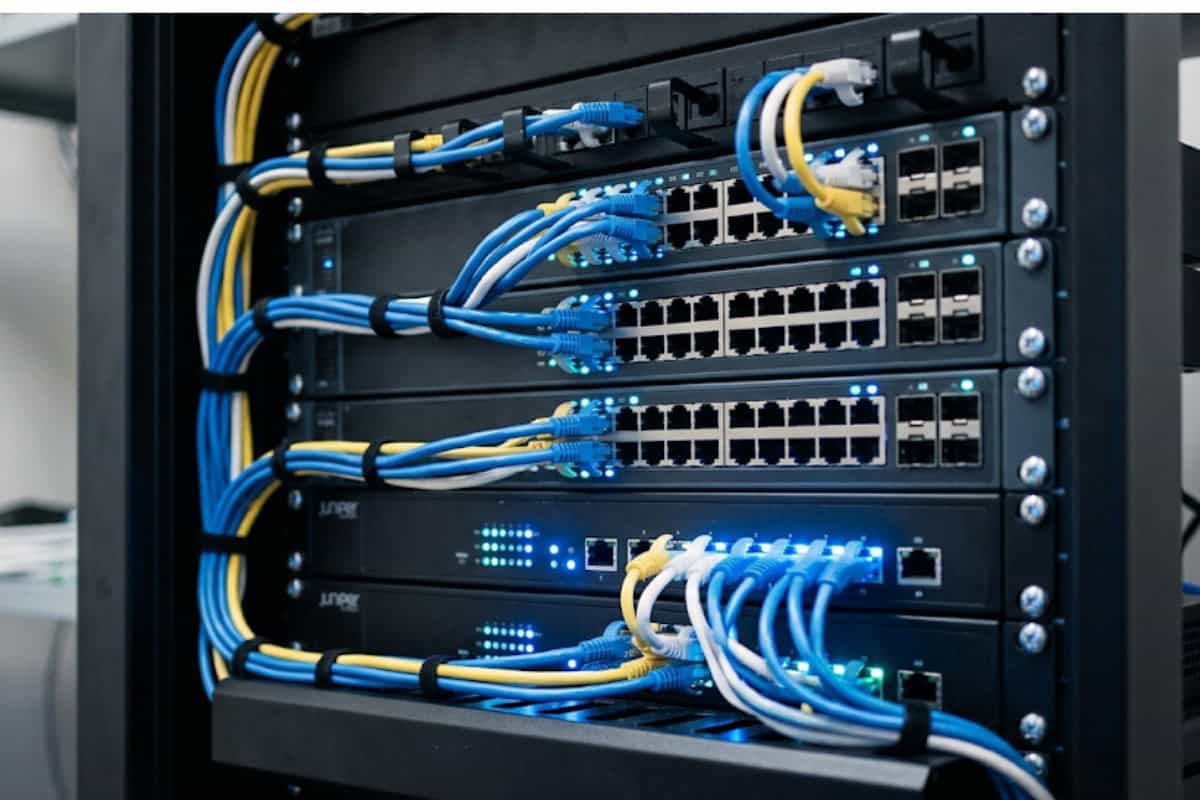
A switch connects multiple devices, computers, printers, phones, servers, into a single local network using cables. It reads the physical address of each connected device and sends data only to the specific device it is intended for, rather than broadcasting it to every port. This targeted delivery is what makes a switch efficient at handling traffic inside one office or building. Routers vs switches guidance from university IT departments consistently makes the same point: a switch’s job stops at the edge of your local network. It has no concept of the internet or of any network beyond the one it is directly connected to.
Switches come in different scales, from a small desktop unit that connects a handful of devices to a rack-mounted unit handling traffic for an entire office floor. The core job stays the same regardless of size: move data efficiently between devices that are already on the same network. University-level networking fundamentals coursework covers this same switching logic in far more technical depth, down to how switch fabrics avoid bottlenecks as more devices are added.
What a Router Actually Does
A router’s job starts where a switch’s job ends. It connects separate networks together, most commonly your internal office network and the internet, and decides where each piece of data needs to go based on its destination address. This is what lets every device in your office share a single internet connection instead of each one needing its own separate line. Many routers also include a basic firewall, providing a first layer of security between your internal network and the outside internet. Network hardware fundamentals taught in introductory networking courses cover this distinction early, precisely because it trips up so many people managing a network for the first time.
Why This Distinction Actually Matters for Your Business
Getting this wrong has real, practical consequences. If your office is experiencing slow internal file transfers between computers and a shared server, that is almost always a switch issue, since it is purely internal traffic. If your entire office loses internet access while internal systems keep working fine, that points to the router or the connection beyond it. Diagnosing the wrong device wastes time and, in some cases, money spent replacing equipment that was never the actual problem. This distinction also shapes security planning. Network security considerations differ meaningfully between the two: a switch can be configured to segment traffic and limit how far a compromised device can spread internally, while a router’s firewall settings control what can reach your network from the outside world in the first place.
Common Network Equipment Questions
- Do I need both a switch and a router? Yes, in nearly every office setup beyond a single computer, since they perform different jobs that both need to happen.
- Can one device do both jobs? Some consumer-grade combo devices bundle router and switch functions together, but dedicated business-grade equipment typically separates them for better performance and easier troubleshooting.
- Does switch or router placement affect Wi-Fi? Indirectly. Wi-Fi access points connect through a switch, and understanding Wi-Fi security alongside your wired network layout matters for a complete picture of your office’s connectivity.
- How many devices can a switch support before performance suffers? This depends on the switch’s port count and throughput rating, and an undersized switch is a common, invisible cause of a sluggish office network.
What This Means for Network Reliability
Beyond day-to-day performance, the router is also where a business’s connection to the outside world lives, telecommunications providers to report significant outages through its network outage rules, formally known as the Network Outage Reporting System. That system exists at the provider level, but it underscores a point worth remembering at the business level too: your router is a single point that, if it fails or is misconfigured, can take your entire office offline even while every internal device and switch works perfectly.
Why Choose CamTech for Network Equipment and Setup
Big-box, plug-and-play routers and switches are built for the widest possible market, not for your specific office layout, device count, or growth plans. CamTech designs network setup around the actual business it’s built for, choosing equipment sized correctly for your current needs with realistic room to grow, rather than either underbuying and creating a bottleneck or overbuying equipment you’ll never use.
As a partner with Dell, HP, and SonicWall, CamTech has access to business-grade equipment that consumer retail simply does not carry, and the team configures it correctly the first time, from switch segmentation to router firewall rules. For a Broken Arrow business dealing with mystery slowdowns or unreliable connectivity, correctly diagnosing whether the switch or the router is the actual source of the problem is usually the fastest path to a real fix.
Not sure if your network problem is a switch issue or a router issue? Contact us today for a free consultation and we’ll find the real cause.
Switch vs Router at a Glance
| Function | Switch | Router |
|---|---|---|
| Connects devices within one network | Yes | No |
| Connects separate networks together | No | Yes |
| Shares one internet connection across devices | No | Yes |
| Typically includes a firewall | No | Often, yes |
| Most likely cause of slow internal file transfers | Yes | No |
| Most likely cause of total internet loss | No | Yes |
Every distinction in this table reflects what’s explained above: switches manage traffic within your local network, and routers manage the connection between your network and the outside world, which is exactly why each device points to a different kind of problem when something goes wrong.
Conclusion
A switch and a router solve different problems, and mixing them up leads to buying the wrong equipment, misdiagnosing a slowdown, or leaving a real security gap unaddressed. A switch connects your devices to each other. A router connects your business to the internet and to any other network beyond your own walls. Getting both sized and configured correctly is what keeps a Broken Arrow or Tulsa office running without the mystery slowdowns that come from equipment that was never right for the job. Reach out to CamTech for a free consultation on your network setup.
Get Your Network Diagnosed Correctly. Stop guessing which device is causing the problem. Contact CamTech today for a free consultation.
Common Questions About Switches and Routers
Do I need a switch and a router, or just one?
Nearly every business network needs both, since they handle different jobs. A router connects your office to the internet, while a switch connects your internal devices to each other, and skipping either one leaves a gap in how your network functions.
What’s the difference between a switch and a hub?
A hub broadcasts incoming data to every connected device regardless of which one it’s actually meant for, while a switch reads each device’s address and sends data only to the intended recipient. This makes a switch significantly more efficient and secure than an older hub.
Can a router replace a switch in a small office?
Many routers include a small number of built-in switch ports, which can work for a very small setup. Once an office has more than a handful of wired devices, a dedicated switch is generally needed to handle that traffic properly.
Why is my internet slow if my router seems fine?
Slow internet with a functioning router can still come from several sources, including your internet service itself, an outdated router firmware, too many devices competing for bandwidth, or, in some cases, a switch bottleneck if the slowness is isolated to specific wired connections.
Does upgrading my router improve Wi-Fi speed throughout the office?
It can help, but Wi-Fi coverage and speed also depend on access point placement and any physical obstructions in the building. A router upgrade addresses internet connection speed, while spotty coverage in parts of an office often needs a separate look at access point placement.

Sorry, the comment form is closed at this time.